Thanks for attending the Reel Estate Workshop with Brandi Miller, Scott Nielsen, and Bright & Gray Creative!
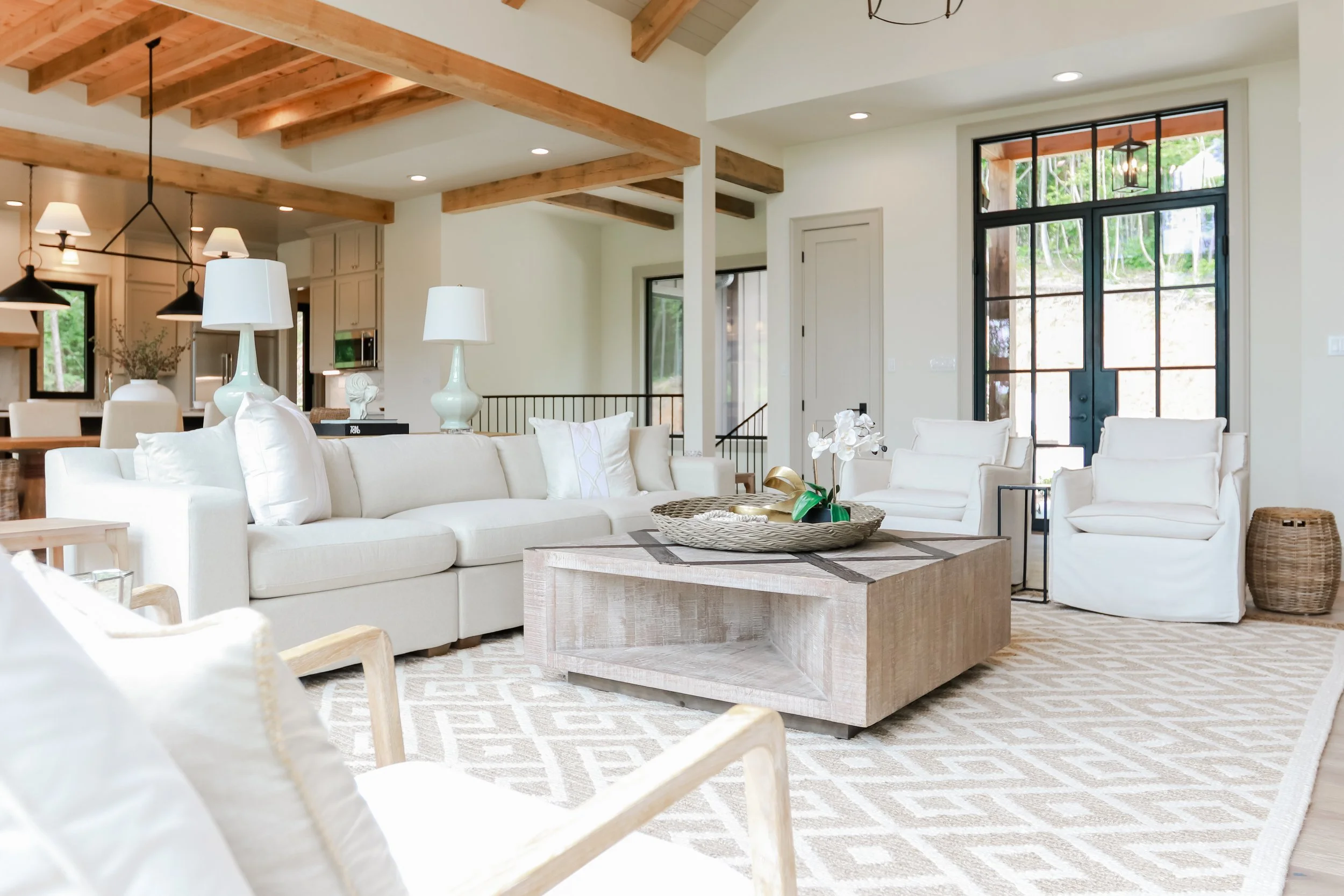
Listing Content Guide
For realtors who want to create better social media without hiring someone (yet)
You're in houses all day. You see the potential, the beauty, the unique features. But when you scroll through your phone's camera roll, everything looks flat and forgettable. That's not a reflection of the homes. It's that you haven't learned how to frame what you're seeing.
This guide isn't about becoming a videographer. It's about using the phone you already have to show listings the way you see them. No fancy equipment required (though we'll talk about what actually helps). No complicated editing. Just smart filming and consistency.
Why this matters
Your listing gets 15 seconds on social media before someone keeps scrolling. In those 15 seconds, a good video makes someone curious enough to ask for a showing. A great one does that and tells your story as an agent.
You're building visibility, not just marketing houses.
We lead with strategy, always.
What should you actually be filming?
You have an advantage: you're in homes before most people are. You see the opportunity.
Listings, of course. The homes you're marketing. These are your content bank. One great video per listing, every week it's on the market.
Behind-the-scenes. Staging a home, preparing for a showing, the work that goes into a listing. People connect with the person doing the work.
Your agent story. You at an open house. You talking about why you loved showing a home. Quick takes on the market. This is where you build loyalty.
The neighborhood. The coffee shop down the street, the park, the schools. Buyers buy lifestyle. Show them what they're actually buying into.
Consistency beats perfection
Post two really good videos every week, on the same days, forever. That wins the algorithm and builds recognition.
Your followers will start knowing a video is yours by the style alone and that's the goal.
If you're not ready for two videos a week, start with once a week. But don't ghost. The algorithm notices when you disappear.
How much time does this actually take?
3, 2, 1…go!
One video: 30 minutes to film (at the property), 20 minutes to edit, 10 minutes to post and write a caption. It may take a little longer at first, but if you’re consistently spending more than an hour on a video, you’re overthinking it.
But first, let’s get our settings set.
You don’t need a bunch of fancy tools to do this well. Get your settings right and you’ll have amazing videos and photos straight from your phone.
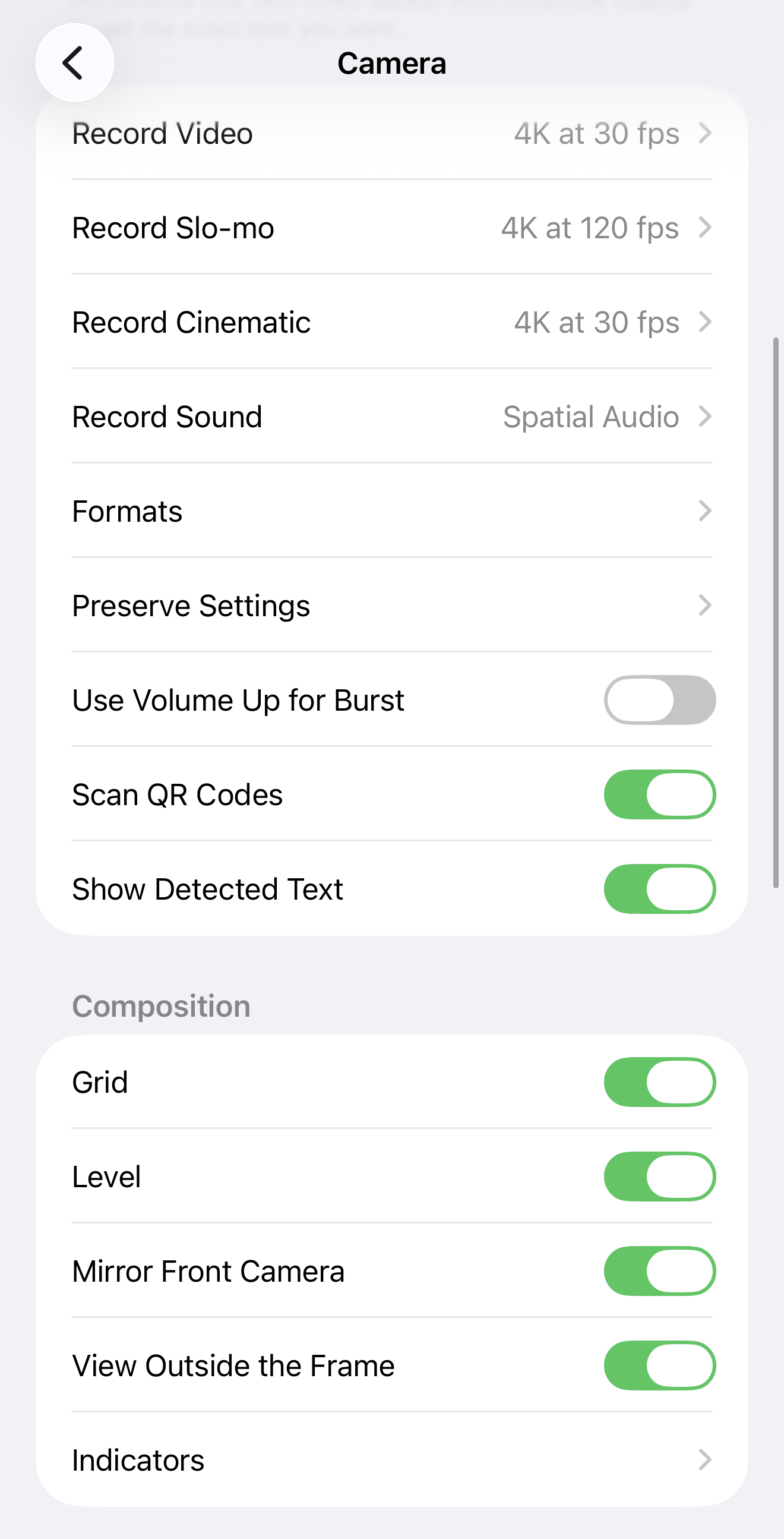
Enable Grid
Settings > Camera > Grid ON. This divides your screen into a tic-tac-toe board. Use it to frame shots evenly. Horizon line in the middle (not at the top or bottom). Changes everything.
Enable Level
Settings > Camera > Level ON. A yellow line appears when your phone is tilted. Keep it centered. Tilted footage reads as amateur immediately. Straight horizon = professional.
Lock Your Exposure
Tap on the area you want to expose for (the home, not the sky), then tap the lock icon. Now your phone won't adjust brightness mid-shot. So much steadier.
Check Your Resolution
4K looks gorgeous but eats storage fast. Check your phone's storage: if you have 64GB+, go 4K. If you're at 32GB, use 1080p. Size matters way less than consistency anyway.
Light is your secret weapon
The difference between good video and great video is usually light. Shoot during golden hour (last hour before sunset, first hour after sunrise) if you can. Indoors? Position yourself so light is coming toward your subject, not behind it. That's it. You just won.
And a note from someone who’s been a professional photographer for about two decades: when in doubt, face your shadow!
Simple rules to live by.
Use these extremely simple filming fundamentals and your content will look 100x better than those who don’t apply these rules!
Rules that apply everywhere
Balance ceiling and floor. Your phone should frame the room evenly. Not looking up into the ceiling like you're amazed, not down into the floor like you're shy. Right down the middle.
Slow movement. If you're panning, do it slowly. Better yet, turn your phone on slow-motion. Think: I'm giving people time to actually see the room. Fast pans feel anxious and hurried. Think about how you’d walk a client through the house.
Wide first, then close. Always start with a wide shot to establish the space, then get closer to details. Your editor (probably you) will thank you.
Hold it steady. Each shot should be at least 5-10 seconds (you can cut it down when you edit). Don't be jumpy. Movement should feel intentional, not frantic.
Master Bedroom
Show the space, show the comfort. Wide shot from the doorway. Slow pan across the bed. Highlight any custom features (fireplace, built-ins, views). If there's a bathroom attached, show the transition. People want to imagine themselves there.
Kitchen
This is where homes sell. Get the counters, the appliances, the island, the finishes up close. But here's the thing: don't shoot UP into the underside of cabinets and don't shoot DOWN into the sink. Keep your phone at counter height. Show the kitchen like you're actually in it, not critiquing it from above.
This is also a great moment to put yourself in the video. Setup your tripod and walk into the shot to set down a vase of flowers, some business cards, a pitcher of lemonade, etc. then walk out of the frame. It will show the size of the kitchen in reference to an actual person, and it’ll show YOU!
Bathroom
Wide shot, then vanity close-up, then shower/tub (door open so people can see inside). If the tile is special, get it.
Same rule as the kitchen: keep your phone level. Bathrooms are small, so steady movement matters more here.
Beware of mirrors 🙅🏻♀️ Make sure you squat or lean or do something to stay out of the way of mirrors - OR - lean into the mirrors and smile and wave!
Lighting in bathrooms can be funky. Do a few passes with all the lights on, with just a few lights on, and with just natural light (if there’s a window).
Living Room / Outdoor Spaces
For living spaces, show how the room flows and connects.
For outdoor areas, use a tripod so you can capture the full scope. Show depth. If there's a view, let people see it.
These are other areas where it’s fun to show how the spaces are used, so setup your tripod and jump in the video!
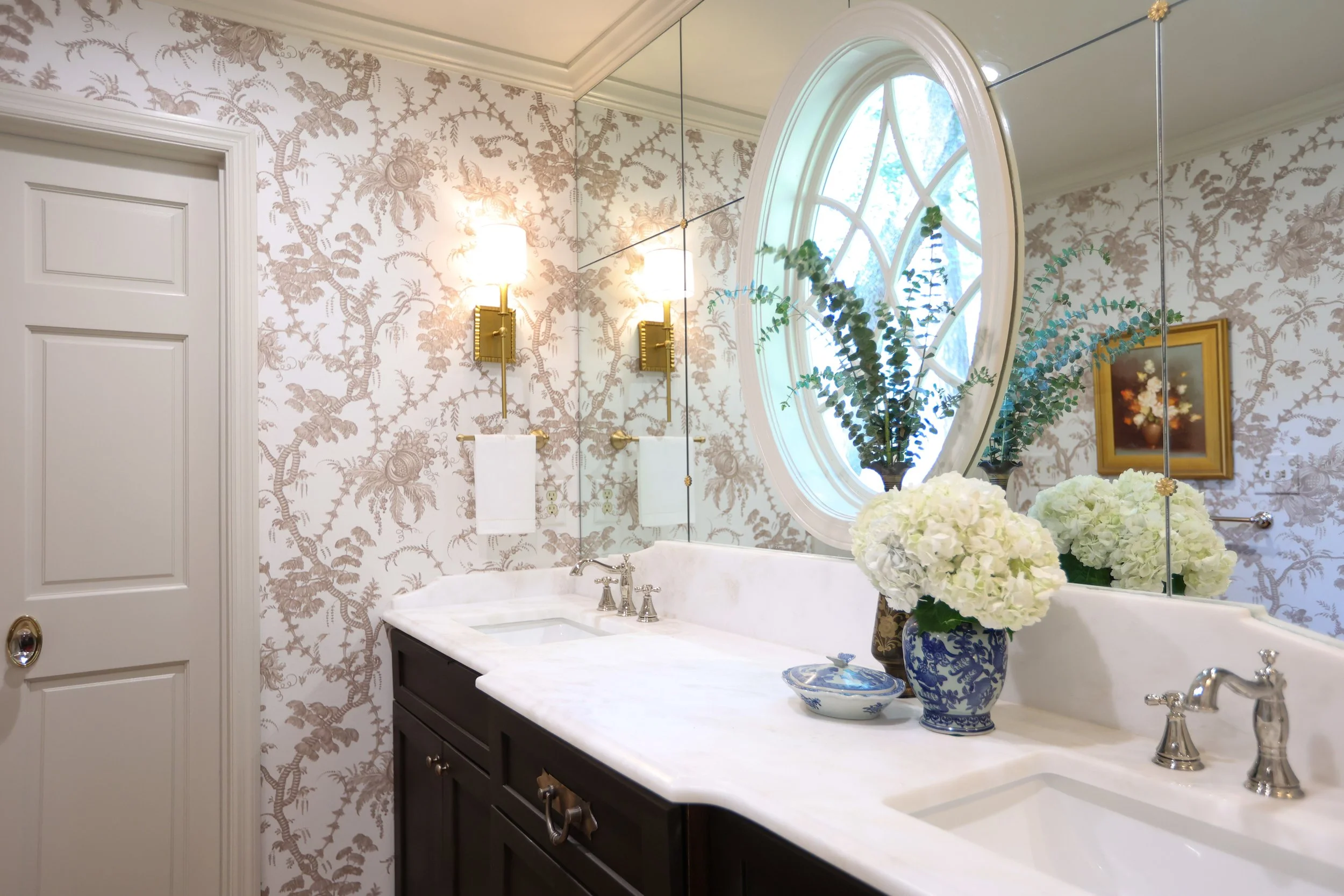
Speaking of mirrors, this entire wall was made of mirrors! I definitely got my workout capturing this one!
What’s actually worth the money.
If you get on Amazon and search ‘social media equipment for iPhone’ you’re going to get overwhelmed really fast. There is SO MUCH out there. But at Bright & Gray, we like to keep it fairly simple. Here are our go-to products for social media when we’re using iPhones.
The question of the hour: Can you do this with just your phone?
Yes. Your phone's built-in mic works fine for furnished homes and outdoor spaces—soft furnishings and natural elements absorb sound naturally. The problem: empty homes and tiled bathrooms echo like crazy, which ruins the audio.
For stabilization, if you've got a steady hand, tuck your elbows to your body or rest your phone against something. But honestly, there are a few tools we keep in our bags that just elevate everything.
External Mic Options
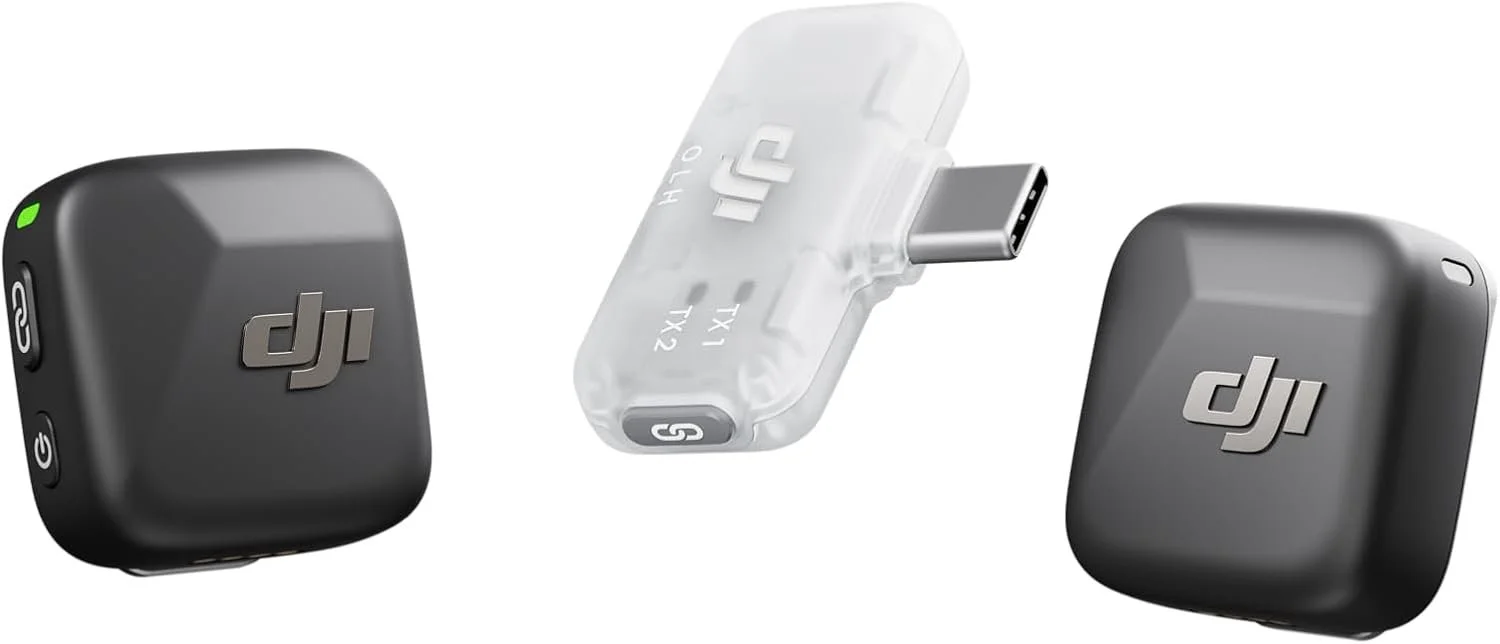
This is my favorite mic for my phone. It’s high quality but easy to setup and carry around.
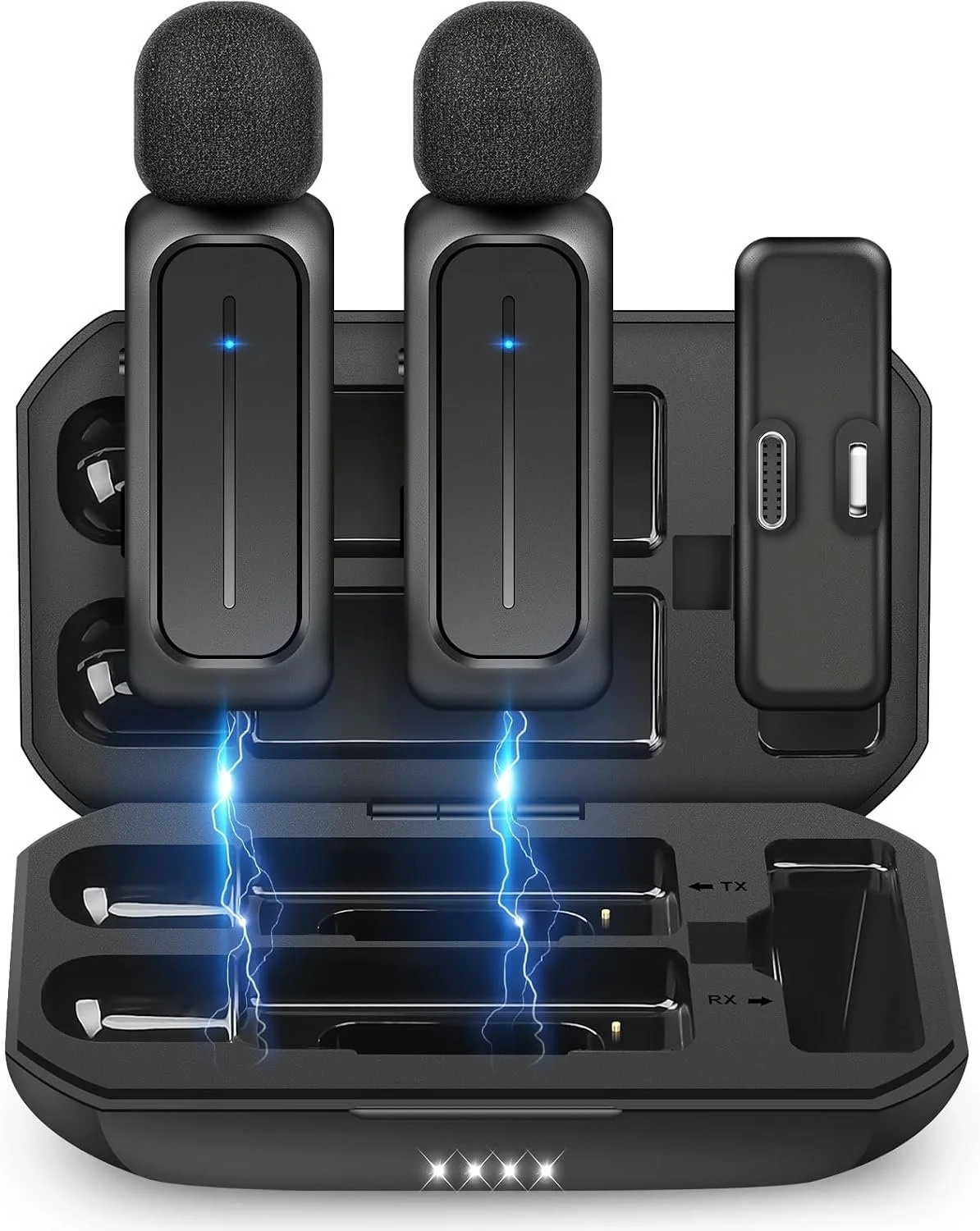
This is a great mic that is compact and works well if you don’t anticipate needing a mic often.
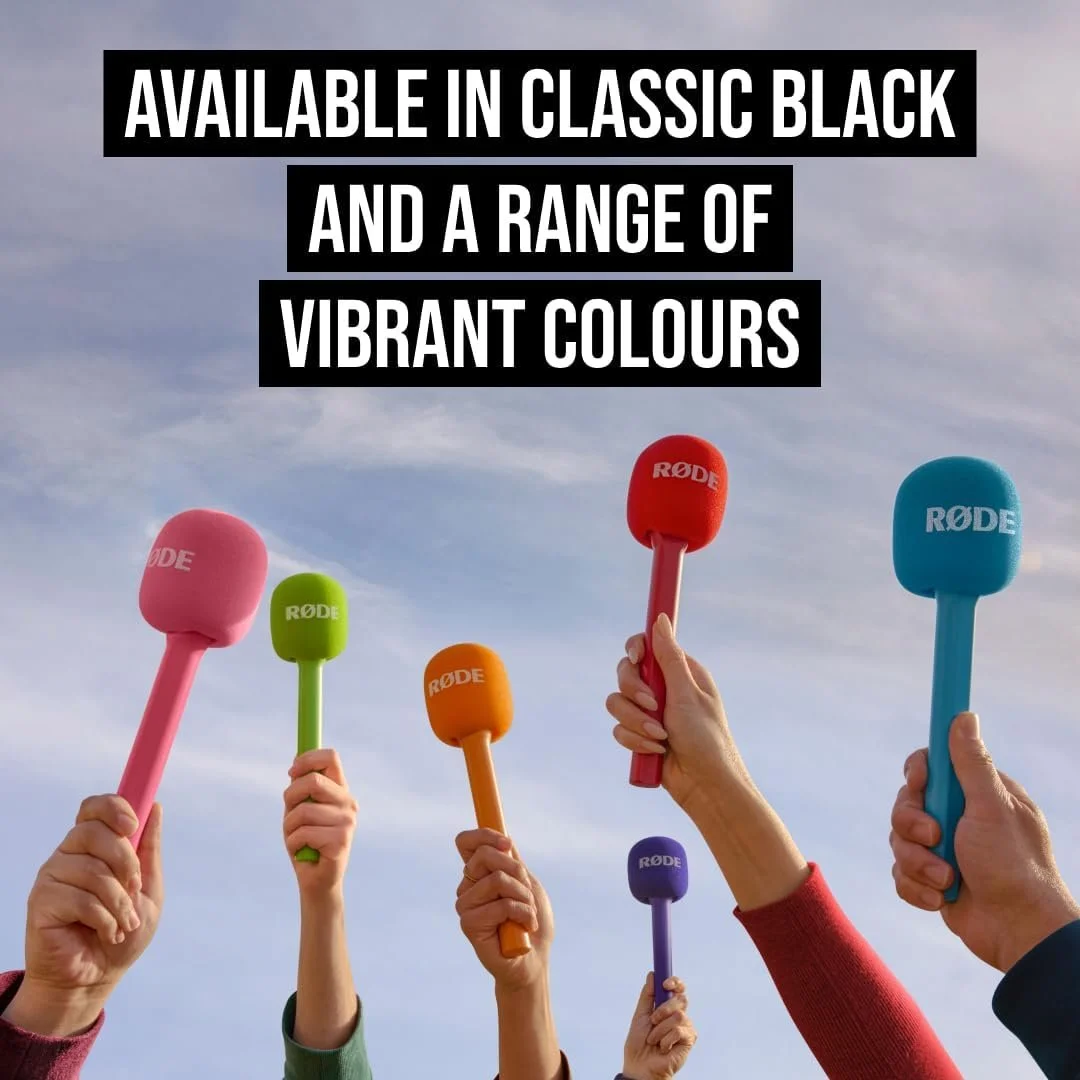
This does not include an actual mic, but it’s a really fun accessory and fits most small mics.
Tripods
I like a static tripod that doesn’t move so that I have more control. However, there are MILLIONS of options out there, so my suggestion is to grab a few on Amazon and try a few out and see what you like and return what doesn’t land.
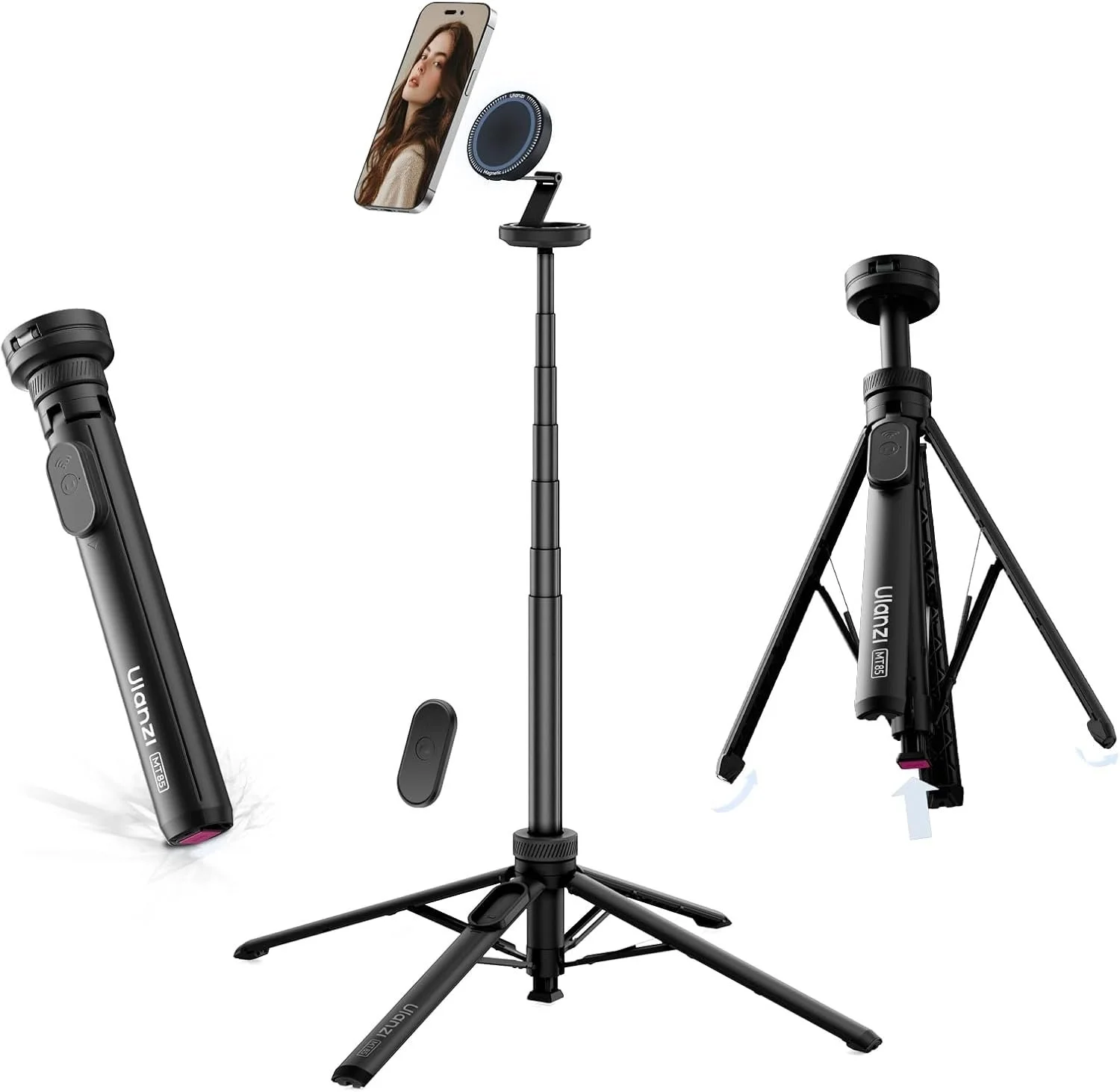
My favorite tripod that does everything I could ever need in an iPhone tripod.

Great little device to clip on anywhere to get walking shots, weird angles, etc.
Lighting
It can be really easy to get in the weeds with lighting. My honest suggestion is to open all the windows and try to use as much natural light as possible. But it’s not bad to have a light or two in your toolkit to help out in case lighting gets wonky.
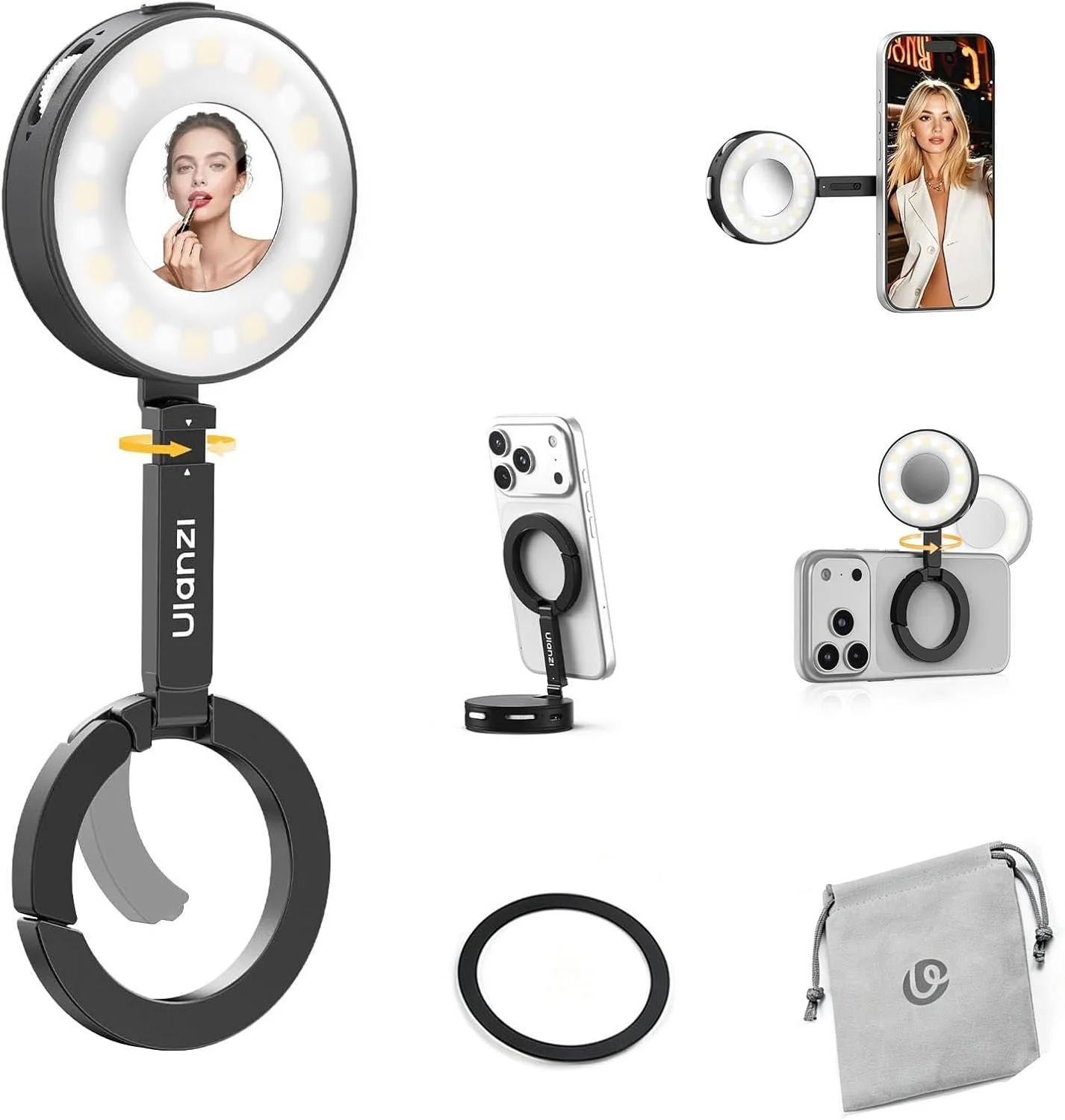
This is a compact light that is MagSafe and can go with you anywhere and just adds a nice glow.
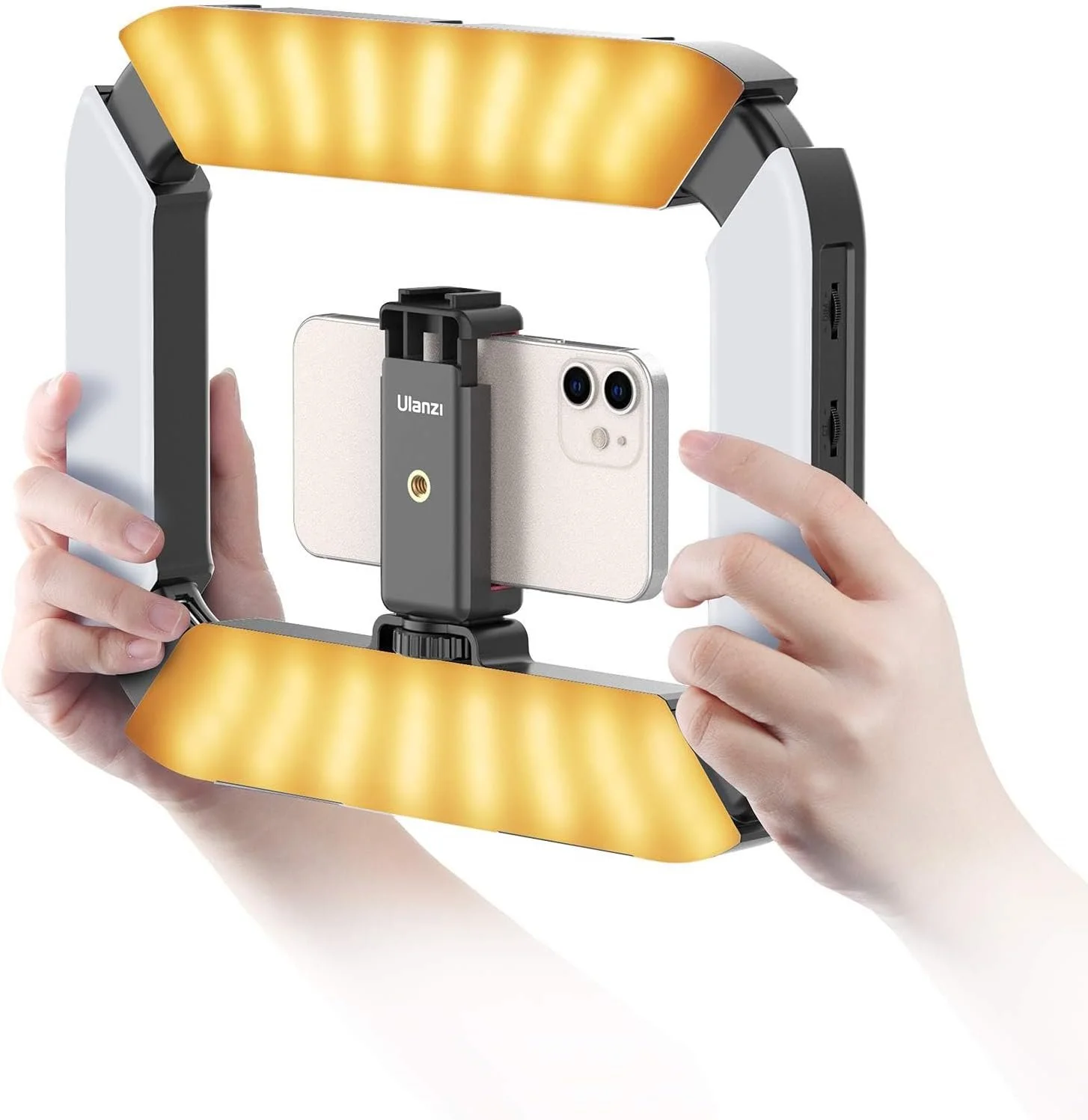
This is a stabilizer and a light, but is definitely not compact.
So you've captured a bunch of great looking video clips. Now what?
Editing is where your footage becomes a story. Raw clips are just raw clips. But the moment you trim them, order them, add audio, and add your captions—suddenly it looks intentional, professional, and recognizable as yours.
Editing is the difference between footage and content.
Which app to use
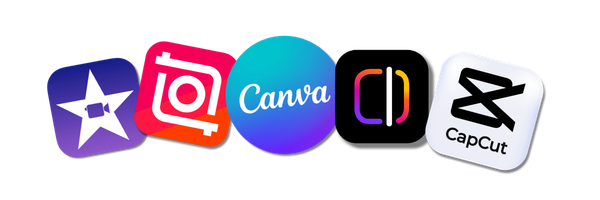
Nine times out of ten, we use Canva → Instagram Edits. Sometimes we’ll use CapCut, and all of our high production work is edited in FinalCut X. Canva holds all your branding and Edits has trending audio built-in, it exports directly to Instagram with perfect settings, and it's fast. You're not trying to be a videographer. You're trying to get a good-looking reel posted this week.
The Workflows — Two Options
The Pro Option(if you want your content to look unmistakably yours)
Trim your clips → Upload to Canva → Add branding, colors, fonts, and closed captions → Export → Bring into Edits → Add trending audio → Export to Instagram
This takes longer but every reel looks like it came from you. Consistency + recognizable style.
The Easy Option(if you want it done fast)
Pull clips into Edits → Trim everything → Add closed captions → Add trending audio → Export to Instagram
Faster, simpler, same result. You're just skipping the custom branding layer.
Pick whichever fits your schedule. Both work. Pro version builds stronger brand recognition over time. Easy version gets you posting this week.
Quick note: Instagram has a 90-second limit on music from their library for Reels. If your video is longer than 90 seconds and you want to use trending audio, you'll need to edit in the video first, then add music manually outside of Edits.
A few notes on apps and what works and what’s overused:
On Branding & Captions:
Pick one caption style and use it for every listing. Don't pick a different caption font or look every time—it makes your content hard to follow and kills recognizability. Same thing with transitions. If you find one you like, use it as a template for all your listings. Consistency is what makes people recognize your work.
On CapCut:
People see something cool in CapCut and use it, then see something different cool and use that instead. Suddenly your reels look like they're from different people. CapCut sits in that middle ground between simple and professional—it's good, but it's easy to overcomplicate things.
When to post
Minimum: Once per week. The algorithm rewards consistency.
Better: 3 times per week (new listing + behind-the-scenes + market update).
Best: 5+ times per week if you can sustain it. But only do this if you'll keep it up. Disappearing for a month kills your reach.
Tips to make your life a little easier.
Listen, I am not a real estate agent (although I did complete the online course to take the test back in 2019, that's another story for another day), but we work with a lot of agents and businesses who are real estate-adjacent. Here's what I've learned…
Film before the professional photos
Get your raw footage while the home is being staged, before the photographer arrives. This becomes your entire social content bank for that listing. You'll use these clips all month.
Show the lifestyle, not just the house
Film the neighborhood coffee shop, the parks, the schools, the commute. Buyers buy how they'll live there, not just square footage. Your content should reflect that.
Your voice matters
Real estate is personal. People buy from people, not from listings. So jump into your videos. Add voiceover. "This master suite overlooks the backyard." "Notice the high-end finishes throughout." Show up in your content. Your voice, your face, your personality—that's what gets people to call. They're not just buying a house. They're buying you as their agent.
Show your life, not just your listings
People connect with people, not properties. So show up beyond the home tours. Film you at an open house. You talking about why you loved a listing. Your day-to-day. The coffee run, the market update, behind-the-scenes moments. These are the clips that build loyalty. Someone scrolling might not need a house that day, but they'll remember you when they do. Real estate is relationship-based. Your content should reflect that.
Long listings need refreshes
If a property sits for more than 30 days, film it again from different angles. Seasonal changes, new staging, price adjustments. Show you're actively marketing it. Visible listings get showings.
Houston, we have a problem!
Technology can be finicky. When it happens, here's how to troubleshoot without freaking out.
Video looks blurry: Your focus isn't locked. Tap on the subject and hold until 'Focus Locked' appears. That's all.
Audio is echoey: You need a mic. Empty homes echo naturally. Use a lapel mic or wireless mic to capture clean voice, not room sound.
Video looks dark: You're filming with light behind your subject. Move so light is coming toward them. Or tap on a well-lit area to adjust exposure.
Video is shaky: Stabilize your phone. Use both hands and tuck your elbows to your body for handheld shots. Or use a tripod for static shots.
Out of storage: Your phone is slowing down. Delete old videos and photos. Phone storage is crucial for smooth filming and editing.
Audio out of sync: Restart your phone and reimport the video. Some editing apps glitch. A fresh start usually fixes it.
Video won't export: Try restarting both the app and your phone. Make sure you have enough storage space. If it still won't work, try exporting to a different location or format.
Pro tip: Before you shoot, check your phone battery and storage. These two things cause 90% of filming problems.

If you get here and realize you'd rather not do this yourself...
That's what we're here for. Some agents want to build their own content and just need the framework. Others take one look at this guide and think, "Yeah, I'm hiring someone."
Both are smart choices.
If you want to DIY, this guide should get you there. Consistency matters way more than perfection, and you have everything you need on your phone right now.
If you'd rather have someone handle it, Bright & Gray Creative specializes in content that actually converts. We do one-off content days, ongoing management, or coaching sessions to get you set up and confident filming on your own.
Your listings have so much potential and now you know exactly how to showcase it!